
To delete a food item first click the item which you have taken out of the freezer so that it is selected. This will make the Delete item button, which you'll find at the top of the window in the icicles bar change from greyed-out (disabled) to not greyed-out (enabled); now click the button and a Delete item dialog box will appear.
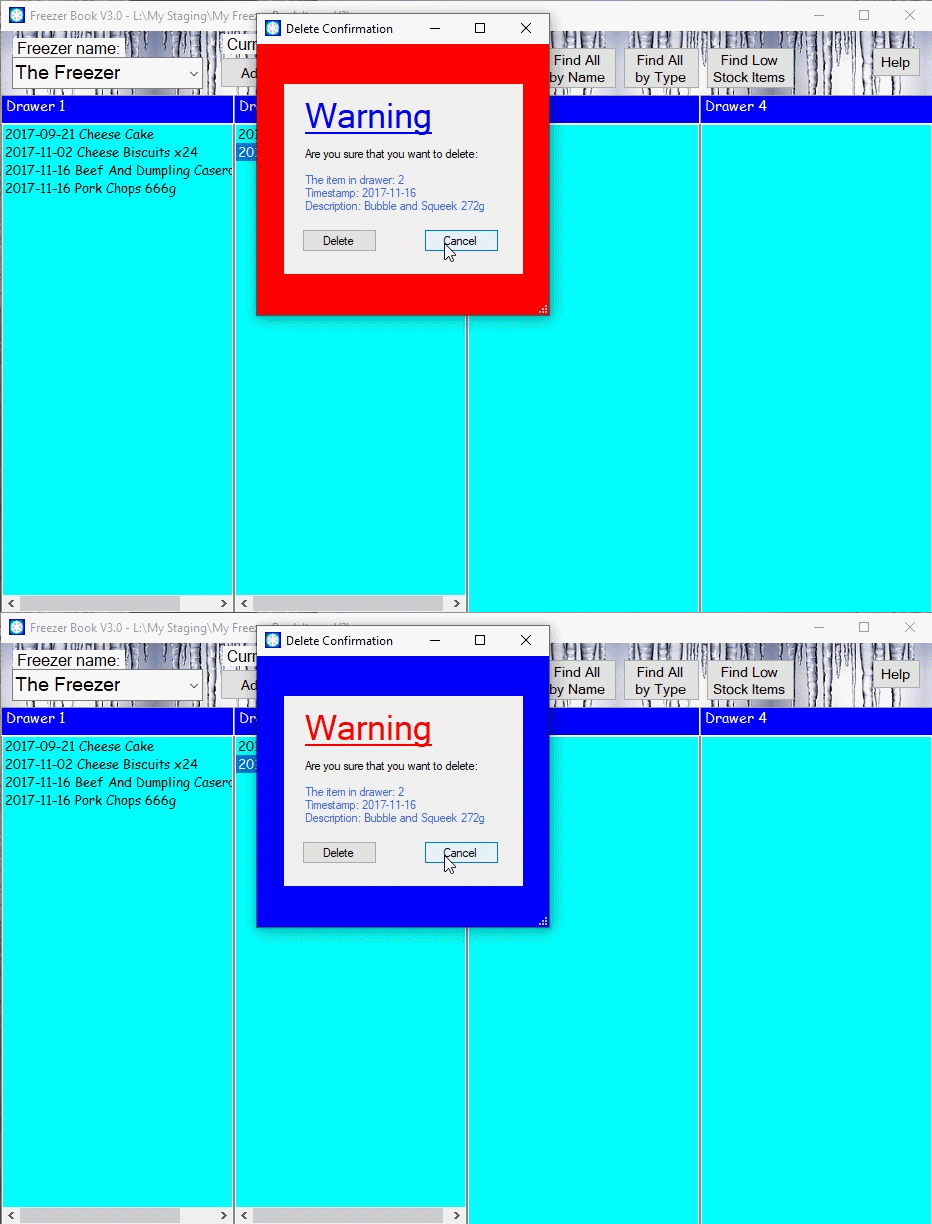
You may notice that this dialog box shows the details of the item in pale blue in the grey box in the middle. Surrounding that it flashes red/blue to attract your attention. So, check that it really is the unwanted item and click the Delete button. If you're not sure then press the Esc key or the Cancel button.
If you've thrown caution to the winds and clicked Delete when you shouldn't - don't worry just press Ctrl-Z and the item will come back. However, once you have closed the Freezer Book Ctrl+Z will no longer work but you can see all of the items which you have deleted in the past; just press Alt+V to view the details.
Click here to return to where you were.
Note. Where ever you see this symbolhover you mouse pointer over it to get more information.